
Jai Club Login — sign in to your account
Signing in to Jai Club takes two fields: the mobile number you registered with and your password. Use the same Jai Club login on the official app (APK) or the mobile website — there is no OTP step at login.
- Requirement
- Your registered mobile number
- Password
- The one you set at registration
- OTP
- Not needed to log in
- Age
- 18+ only
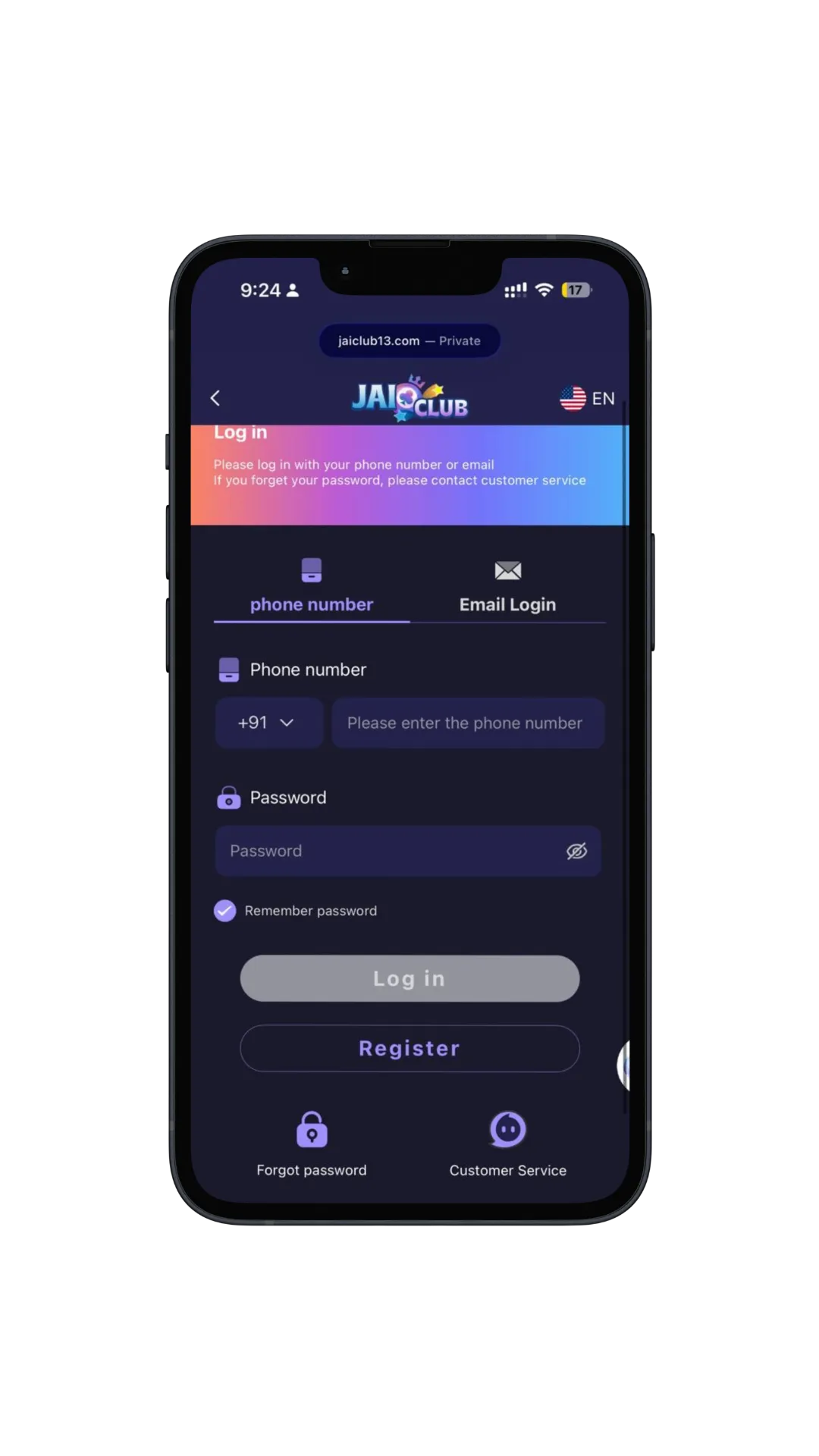
How to log in to Jai Club, step by step
Each screenshot highlights exactly what to tap. Tap any image to view it full size.
Enter your mobile number
Enter the mobile number you registered with. The highlighted field is where it goes.
Enter your password
Type the password you set when you created your account. The highlighted field is the password box.
Tap Login
Once your number and password are both filled in, the Login button lights up. Tap it and you are signed in.
Forgot your password?
You can reset your password using the mobile number you registered with. Jai Club sends an OTP to that number to confirm it is you — so keep that SIM active. If you no longer have access to the number, contact support through the Service Center.
Once you are signed in
Jai Club login FAQs
How do I log in to Jai Club?+
Open the Jai Club login page or app, enter the mobile number you registered with, type your password, then tap Login. There is no OTP step for a normal login, so you are signed in straight away.
How do I login to Jai Club on the app or APK?+
Install the official Jai Club APK, open the app, tap Login, then enter your registered number and password. The login flow is the same as on the mobile website — no separate “login APK” is required.
Is an OTP required to log in to Jai Club?+
No. Logging in only needs your registered mobile number and your password. An OTP is only requested for other actions — resetting your password, changing account details, or withdrawing money.
What do I need to log in to Jai Club?+
Just two things: the mobile number you registered with, and the password you chose during registration. No documents or verification codes are needed for a normal login.
Why is my Jai Club login not working?+
Check that you are using the same mobile number you registered with, and watch for caps lock or a stray space in the password field. The Login button only activates once both fields are filled in. If you changed SIMs, reset the password with the original number.
I forgot my Jai Club password — what do I do?+
Reset it using the mobile number you registered with. Jai Club sends an OTP to that number to confirm it is you, then you can set a new password. Keep that SIM active, because the reset code goes to it.
Is Jai Club lottery login different from normal login?+
No. “Jai Club lottery login” searches still use the same account login. After you sign in you can open lottery games such as Wingo, K3, 5D Lottery or Moto Racing from the lobby.
More Jai Club guides
- How to register on Jai ClubCreate your account with an Indian mobile number — the invite code is filled in for you.
- Download the Jai Club APKInstall on Android from the official APK, or add it to your home screen on iPhone.
- Redeem a Jai Club gift codeClaim a bonus under Account then Gifts — and why codes fail.
- Jai Club withdrawal proofSee completed UPI and bank payouts, limits, delays and how to verify TRX Wingo.
- Is Jai Club real or fake?Honest review, official domain checker, scam warnings and what to do if you lost money.
- Join the Jai Club Telegram channelFind the official channel and tell it apart from impersonators.
Ready to play? Sign in with your registered number.
Real-money play involves risk. 18+ only — play responsibly.